Nota is now available on Apple Watch.
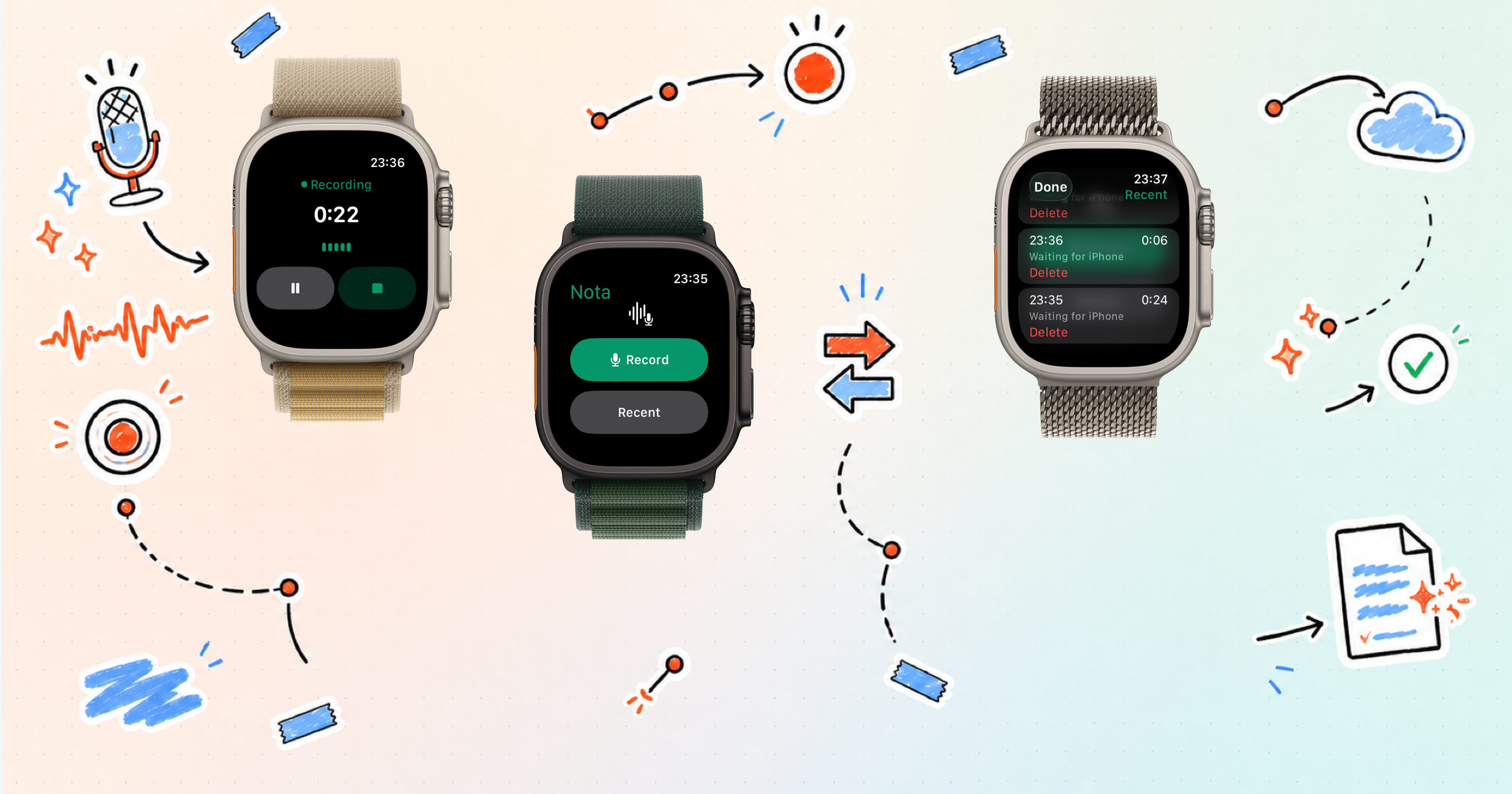
The new Watch app gives you a faster way to capture a thought when taking out your phone would interrupt the moment. Start a voice recording from your wrist, pause or finish it in a tap, then continue with the recording in Nota on your iPhone.
It is a small extension of Nota, built around one of the most important parts of the product: making capture feel immediate.
Record from your wrist
Ideas rarely arrive when you are ready for them. They show up while you are walking, moving between places, or already focused on something else.
Nota for Apple Watch keeps the first step close. Open the app, tap Record, and speak while the thought is still clear. The recording controls are designed for the Watch screen, with the actions you need kept large and direct.
You can pause when the moment is interrupted, continue when you are ready, or finish the recording without reaching for your phone.
Continue in Nota on iPhone
The Watch app is made for capture. Your iPhone remains the place where the recording becomes part of your wider Nota workflow.
After a recording reaches your iPhone, you can return to it in Nota and work with it like the rest of your captured material. That keeps the experience simple: use the device closest to the moment to record, then use the larger screen when you want to review and develop the idea.
Recent Watch recordings remain visible in the app while they are waiting for your iPhone, so you can see what you have captured and remove anything you no longer need.
A quicker path into useful notes
The Apple Watch app is not a smaller copy of everything Nota can do. It is intentionally focused on the point where a useful note begins.
- Record an idea from your wrist
- Pause or finish in a tap
- See your recent Watch recordings
- Continue with the recording in Nota on iPhone
This makes Nota easier to reach in the moments when speed matters more than structure. Capture first, then let the rest of the workflow happen when you have the time and screen space for it.
Built for the moments between moments
We want Nota to work with the way thoughts actually appear: quickly, unevenly, and often away from a desk.
Bringing capture to Apple Watch is another step in that direction. The Watch app shortens the distance between having a thought and keeping it, while Nota on iPhone remains ready for everything that comes next.