Nota was introduced four months ago with a simple idea: capturing information should be easy, private, and useful after the moment has passed.
The first version focused on turning recordings into notes you could understand without replaying everything. Since then, ten releases have expanded that idea in every direction — across devices, source types, search, Smart Notes, system features, and now Apple Watch.
Looking back, the updates form a clearer story than any single feature does on its own. Nota has grown from a focused audio-notes app into a more complete place to capture, find, and develop the material behind your work.
April: making the foundation dependable
The first updates were deliberately quiet.
Version 1.2 concentrated on performance, reliability, and the small details that make an app feel dependable in daily use. Before adding more ways to capture or process information, the recording and notes experience needed a steadier base.
That foundation led directly to version 1.3 and one of Nota’s most important early additions: iCloud sync. Audio notes, transcriptions, and AI-generated insights could now stay available across your Apple devices.
Sync changed the role of Nota. A recording no longer belonged only to the device where it began. You could capture in one place and return to the result somewhere else, while keeping the workflow inside your own Apple ecosystem.
May: smarter notes and more ways to begin
May was about expanding what a Nota note could become — and where it could start.
Version 1.4 gave Smart Notes a significant intelligence upgrade. They became clearer, more structured, and better at turning meetings, lectures, reminders, and rough thoughts into material you could actually work with.
Version 1.5 then introduced notes from photos. A whiteboard, page, receipt, screenshot, or handwritten idea could become a structured, searchable note. This was a small release with a larger implication: Nota no longer had to begin only with something you said. It could begin with something you saw.
Together, those releases established two parts of the product direction that still matter now: accept the source in the form it already has, then help shape it into something more useful.
June: Smart Notes became an evolving workspace
Version 1.6 changed Smart Notes from a generated result into something you could continue developing.
You could turn conversations into polished Smart Notes, keep the discussion going, generate updated versions as ideas changed, and revisit earlier versions when you needed the history. Instead of treating AI output as a final answer, Nota began treating it as part of an ongoing working process.
Search received the same kind of deeper rethink in version 1.7. New filters made it possible to narrow notes by source, content type, note type, and time range. Notes and Smart Notes appeared together in one relevance-ranked result list, with matching across titles, summaries, transcripts, action points, insights, keywords, and more.
The goal was not simply to search more fields. It was to make the useful part of a growing note library recoverable, even when you could not remember the exact title or wording.
Version 1.8 made the next action faster. Assistant Quick Actions brought common outputs — summaries, action items, insights, social posts, emails, and more — into every note with a single tap. Nota also became available in Russian and German, added control over the language used for AI processing, and received another round of interface, performance, and reliability improvements.
July: Nota moved onto the Home Screen
Version 1.9 introduced a family of widgets designed around both capture and return.
- Create a Note brought recording, Smart Notes, Quick Notes, audio imports, images, and the note library closer to the Home Screen
- Record & Recent Notes combined quick creation with recent notes, summaries, processing progress, and recording status
- Latest Smart Notes made new Smart Notes and their summaries visible at a glance
The widgets arrived in multiple sizes, including an extra-large two-column layout for iPad. They marked a shift from thinking of Nota only as an app you open to thinking of it as a tool that can meet you where the work begins.
August: capture became part of the system
Version 1.10 extended that idea across iPhone and iPad.
Spotlight could find Notes and Smart Notes directly. New Shortcuts made it possible to create, find, open, and read notes or control recordings as part of an automated workflow. Lock Screen widgets added fast access to recording, search, recent notes, and Smart Notes. Control Center controls made it possible to start Quick Notes, Smart Notes, audio imports, and photo notes without first navigating through the app.
These features all solve the same problem in different places: when capture takes too many steps, the thought is easier to lose.
Version 1.11: Nota reaches Apple Watch
The latest release brings that capture workflow to Apple Watch.
You can record directly from your wrist, pause or resume at any time, and transfer the recording to your iPhone for processing. A Nota complication provides Quick Capture and live recording status, while the Watch app lets you review recent captures, retry failed transfers, and control an active iPhone recording.
Apple Watch is a natural next step for Nota because it is closest in exactly the moments when a phone can feel too far away: walking, moving, thinking out loud, or trying to keep an idea without breaking your flow.
Ten releases, one direction
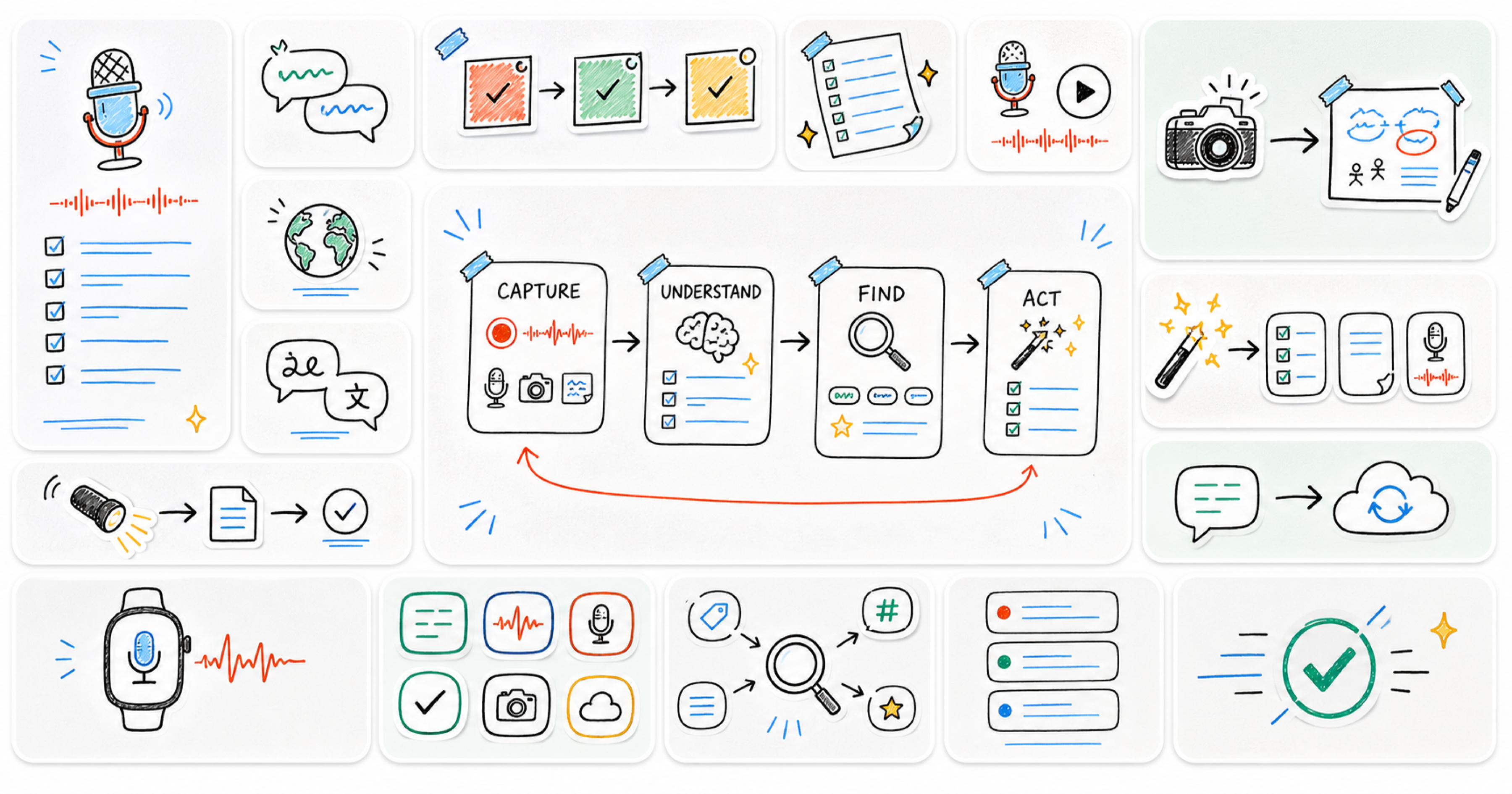
The release history looks broad when reduced to a feature list: sync, photos, Smart Notes, search, quick actions, languages, widgets, Spotlight, Shortcuts, Control Center, and Apple Watch.
But the direction has stayed consistent.
- Make capture available closer to the moment
- Accept more of the forms useful information already takes
- Keep notes continuous across devices
- Make growing context easier to find
- Turn raw material into work you can continue shaping
Four months in, Nota is still built around the same promise as the first release. The difference is that there are now many more ways to begin — and a much stronger path from the first capture to something you can use.